You’re creating content, you’re building links, but your traffic is flatlining. Why? There’s a silent killer lurking on your website, confusing Google and letting your competitors steal customers that should be yours. It’s called duplicate content, and it’s bleeding your SEO dry. But there’s a fix. Master the canonical tag in the next 5 minutes, and you can consolidate your SEO power and stop sabotaging your own success.
What is a Canonical Tag? (And Why It’s Your Secret SEO Weapon)
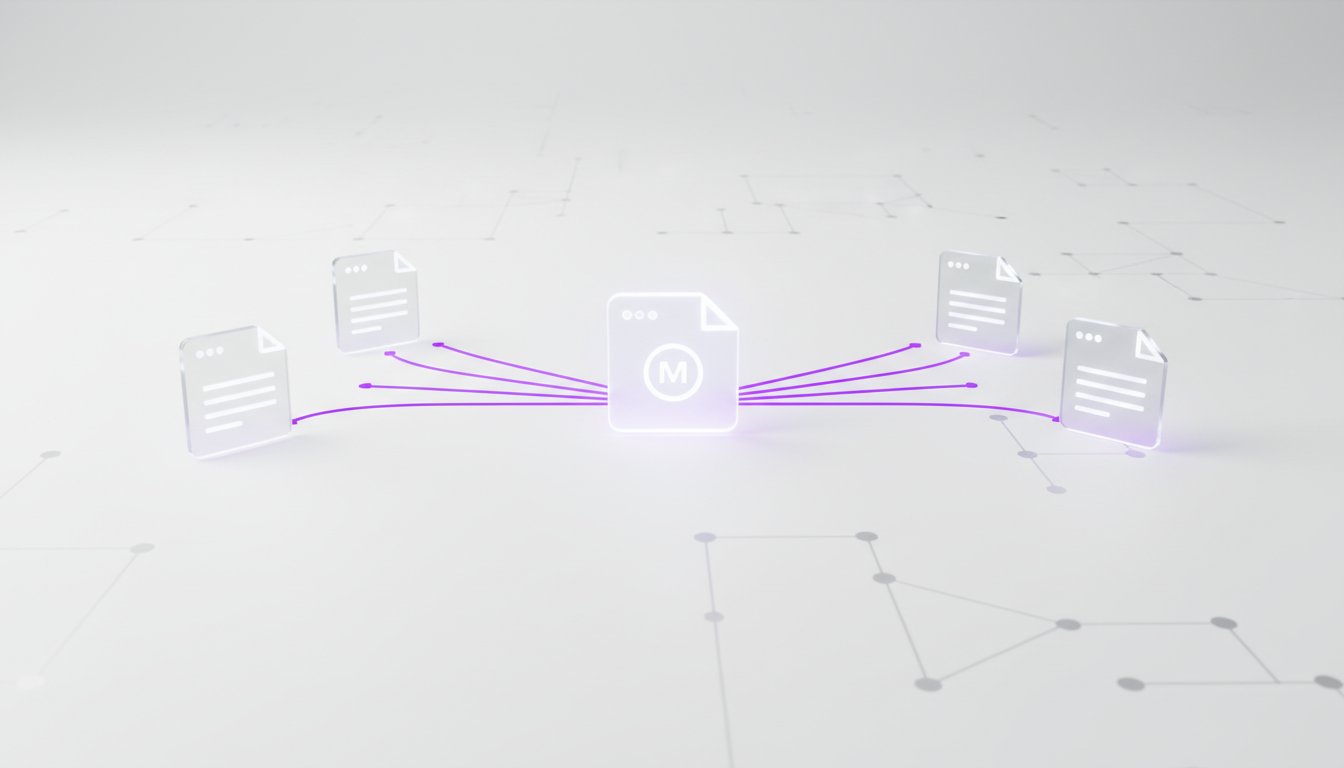
Let’s cut through the jargon. A canonical tag is a simple line of code that acts as a signal to Google, telling it which version of a page is the “master” copy. Think of it like an original painting in a gallery versus the identical prints sold in the gift shop. The canonical tag points to the original painting, telling search engines to ignore all the copies and focus all their ranking power on the one that matters.
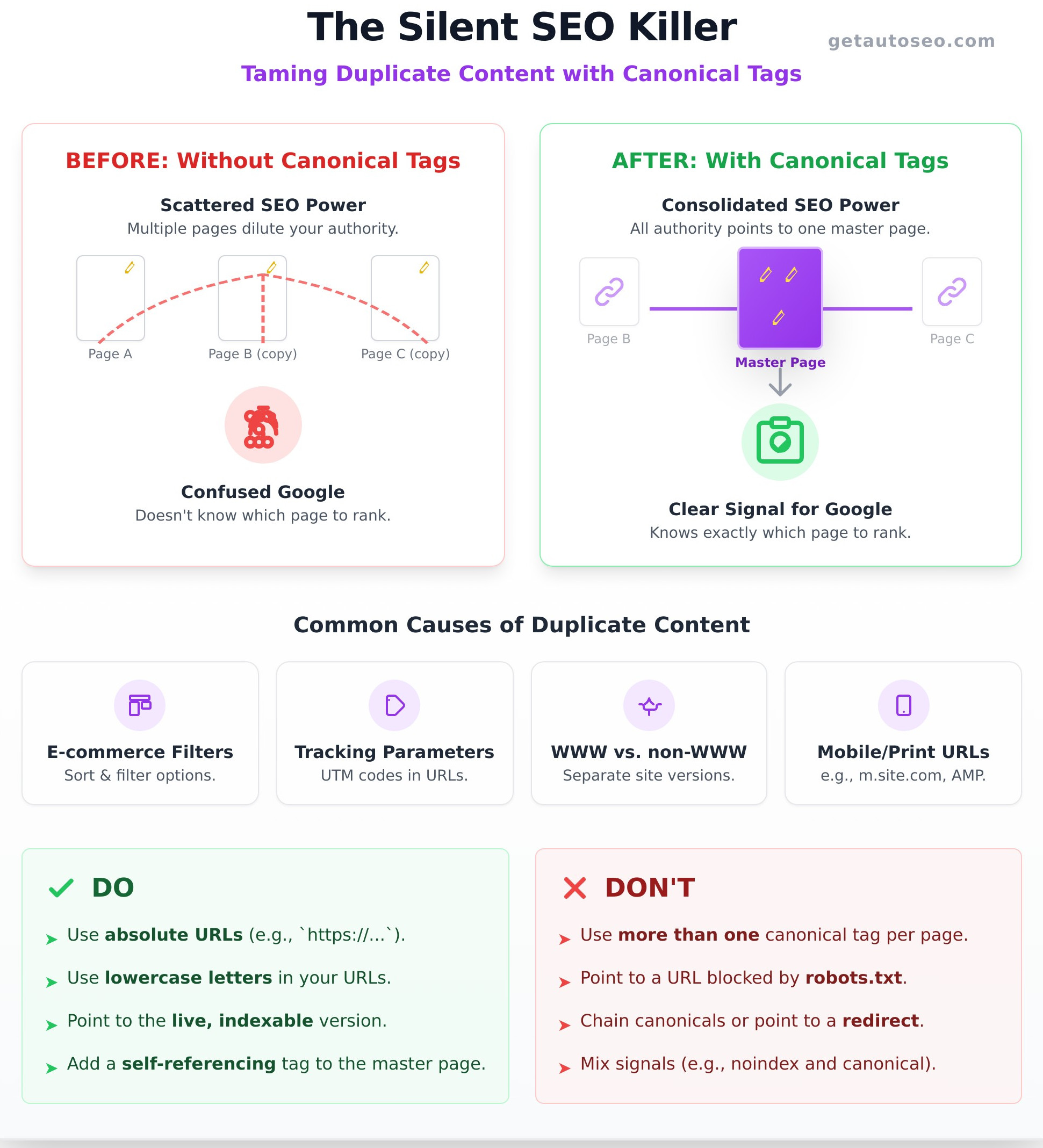
The core problem this solves is duplicate content. When Google finds multiple pages with identical or very similar content, it gets confused. It doesn’t know which one to rank, so it often splits the authority between them, or worse, just guesses. A canonical tag removes the guesswork and puts you back in control.
How Duplicate Content Sneaks Onto Your Site (Without You Knowing)
You might think your site is clean, but duplicate content multiplies like crazy. It’s often created automatically by your website’s software without you ever touching a thing. Common culprits include:
- E-commerce sites: Product pages with filters and sorting options (e.g., sort by price, filter by color) create unique URLs for the exact same content.
- Tracking parameters: Marketing campaigns often add UTM codes to URLs to track clicks, creating dozens of variations of a single page.
- WWW vs. non-WWW: Google can see `https://yoursite.com` and `https://www.yoursite.com` as two separate, duplicate websites.
- Print or mobile versions: Having separate URLs for print-friendly pages or older mobile sites (like AMP pages) can also create duplicates.
The Damage: How Duplicate Content Kills Your Traffic
This isn’t a minor technical issue; it’s a direct threat to your growth. When you have duplicate content, you are actively harming your own rankings. Here’s how:
- It splits your authority: Backlinks are SEO gold. Duplicate content scatters your hard-earned links and authority across multiple URLs, diluting their power.
- It wastes your “crawl budget”: Google only dedicates a certain amount of resources to crawling your site. You’re forcing it to waste time on redundant pages instead of finding your new, important content.
- It forces Google to guess: When you don’t specify a master page, you force Google to choose one for you. It often picks the wrong one, burying your preferred page deep in the search results.
How to Implement Canonical Tags: The 3-Step Manual Fix
Here’s the process agencies use to fix canonical issues-the slow, manual way. Understanding this helps you see exactly what should be happening on your site, even if you choose to automate it later.
Step 1: Find and Choose Your ‘Master’ Page
First, you need to play detective. Identify all the duplicate versions of a specific piece of content. Once you have your list, you must decide which URL is the single source of truth-the one you want to appear in search results. This will be your “canonical” or master URL.
Step 2: Add the rel=”canonical” Tag to Duplicate Pages
Next, you need to signal your choice to Google. On all the duplicate pages (the “copies”), you’ll add a simple line of HTML code into the website’s “ section. It looks like this:
<link rel="canonical" href="https://your-master-url.com/">
This tag effectively points from each copy back to the master page, telling search engines, “Don’t rank this page. Rank that one instead and send all the SEO credit there.”
Step 3: Add a Self-Referencing Canonical to the Master Page
This is a crucial step that many people miss. Your master page should also have a canonical tag, but this one should point to its own URL. This is called a self-referencing canonical. It acts as a defensive measure, preventing any unforeseen issues or parameters from creating duplicate versions of your master page in the future.
Canonical Tag Best Practices: A Simple Do’s and Don’ts Checklist
Implementing canonicals is powerful, but one small mistake can make your pages invisible to Google. Follow these simple rules to get it right every single time and avoid the common errors that destroy rankings.
DO This:
- Use absolute URLs: Always use the full, complete URL, including the `https://` part.
- Use lowercase letters: Search engines can see uppercase and lowercase URLs as different pages, so stick to lowercase to be safe.
- Point to an indexable page: The master URL must be a live page that returns a 200 “OK” status code.
DON’T Do This:
- Never use more than one: A page can only have one master. Using multiple canonical tags on a single page will just confuse Google.
- Don’t point to a blocked page: Never canonicalize to a URL that is blocked by your robots.txt file.
- Don’t mix signals: Avoid pointing a canonical tag to a page that then 301 redirects somewhere else. Point directly to the final destination.
Tired of This? Put Your Technical SEO on Autopilot
Does all of that sound slow, tedious, and incredibly easy to mess up? It is. Fixing canonicals manually is a constant battle. Every minute you spend digging through code is a minute your competitors are talking to customers and making sales. There’s a faster, smarter way to handle this and every other aspect of your technical SEO.
The Problem with Manual SEO
Manual SEO is a time-sink. It’s a constant, never-ending list of tasks that takes you away from what you do best: running your business. One wrong line of code can make your most important pages disappear from Google overnight. It’s high-risk, low-reward work that belongs to a machine.
The AutoSEO Solution: Dominate While You Sleep
Our AI platform handles all of your technical SEO-including canonicals-completely automatically. There is no more guesswork, no more digging through code, and no more wasted hours. We ensure your site is perfectly optimized 24/7, consolidating your ranking power and pushing you ahead of the competition. Stop fighting a losing battle with technical details. It’s time to automate. Stop Wasting Time. Start Your $1 AutoSEO Trial Now.
Frequently Asked Questions
What’s the difference between a canonical tag and a 301 redirect?
A 301 redirect physically sends users and search bots from one URL to another. A canonical tag is just a hint for search engines-users can still visit both URLs. Use a 301 for permanently moved or deleted pages. Use a canonical for pages with similar content that need to remain accessible.
Does a canonical tag pass 100% of link equity?
Yes, Google has confirmed that canonical tags pass ranking signals like link equity to the master URL, similar to how a 301 redirect does. This is why it’s so effective for consolidating your authority.
How long does it take for Google to process a new canonical tag?
It can take anywhere from a few days to several weeks. It depends on how often Google crawls your website. Once you implement the tags, you’ll need to be patient as Google re-crawls the pages and processes the signals.
Can I use a canonical tag across different domains?
Yes, this is called a cross-domain canonical. It’s commonly used when you syndicate your content to other websites. By having them place a canonical tag pointing back to your original article, you ensure you get all the SEO credit for your work.
What happens if I have conflicting canonical tags on a page?
If you have more than one canonical tag on a page, Google will likely ignore both of them. This is a common mistake that renders the tags useless, which is why it’s critical to ensure there is only one `rel=”canonical”` link in your HTML.
Stop letting technical errors hold you back. While your competitors are stuck in the weeds of manual SEO, you could be generating traffic, leads, and sales on autopilot. The choice is simple: keep guessing and falling behind, or activate an engine that does the work for you. Stop Guessing & Start Growing. Activate Your $1 AutoSEO Trial.